
Ophthalmology Software
Refraction, IOP, A-scan and eye exam charts with both eyes side by side. The glasses prescription prints from the refraction.
- Right and left eye in every chart
- IOP turns red above each patient's target
- Optical billing at the same counter
15-minute demo on your own eye charts.
| Right Eye | Left Eye | |||||||
|---|---|---|---|---|---|---|---|---|
| SPH | CYL | AXIS | V/A | SPH | CYL | AXIS | V/A | |
| Distance | −1.25 | −0.50 | 180 | 6/6 | −1.50 | −0.75 | 170 | 6/6 |
| Near | +1.25 | −0.50 | 180 | N6 | +1.00 | −0.75 | 170 | N6 |
| Right Eye | Left Eye | |
|---|---|---|
| Today | 24 | 16 |
| Target | 18 | 18 |
Explain it. Show the change.
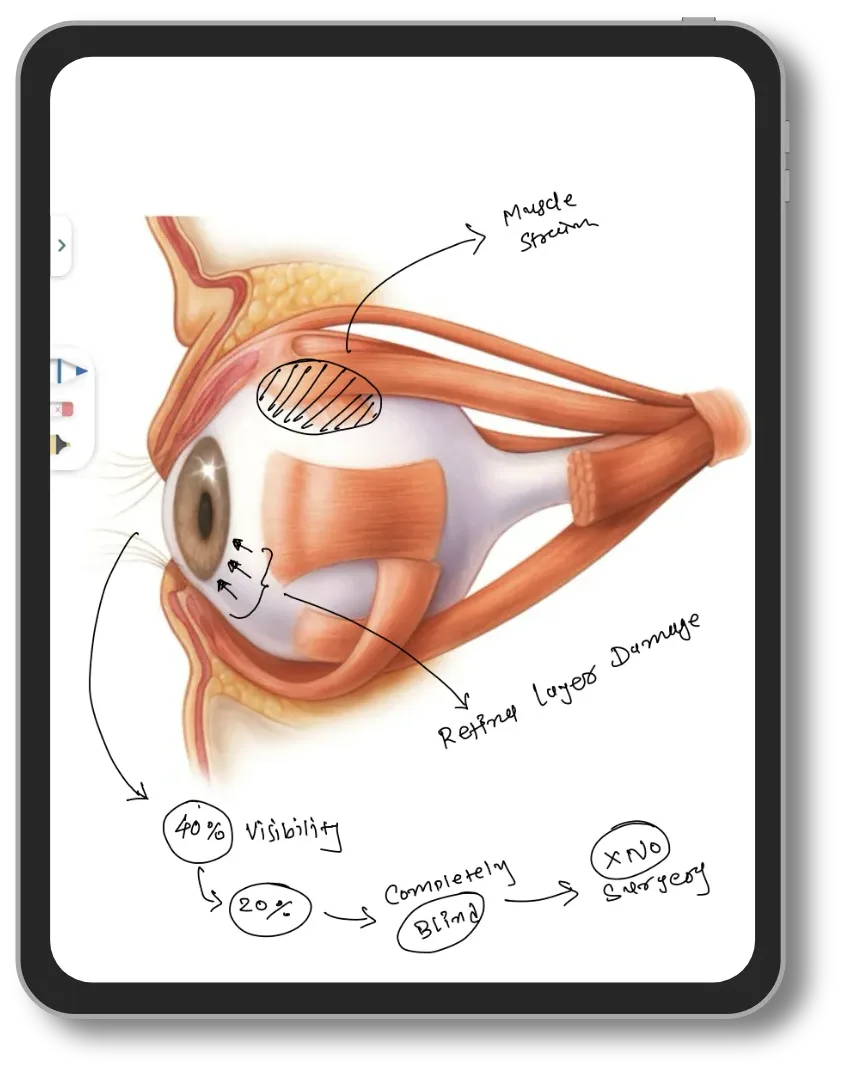
Explain on the tablet
Draw on the eye diagram while the patient watches. No extra cost.
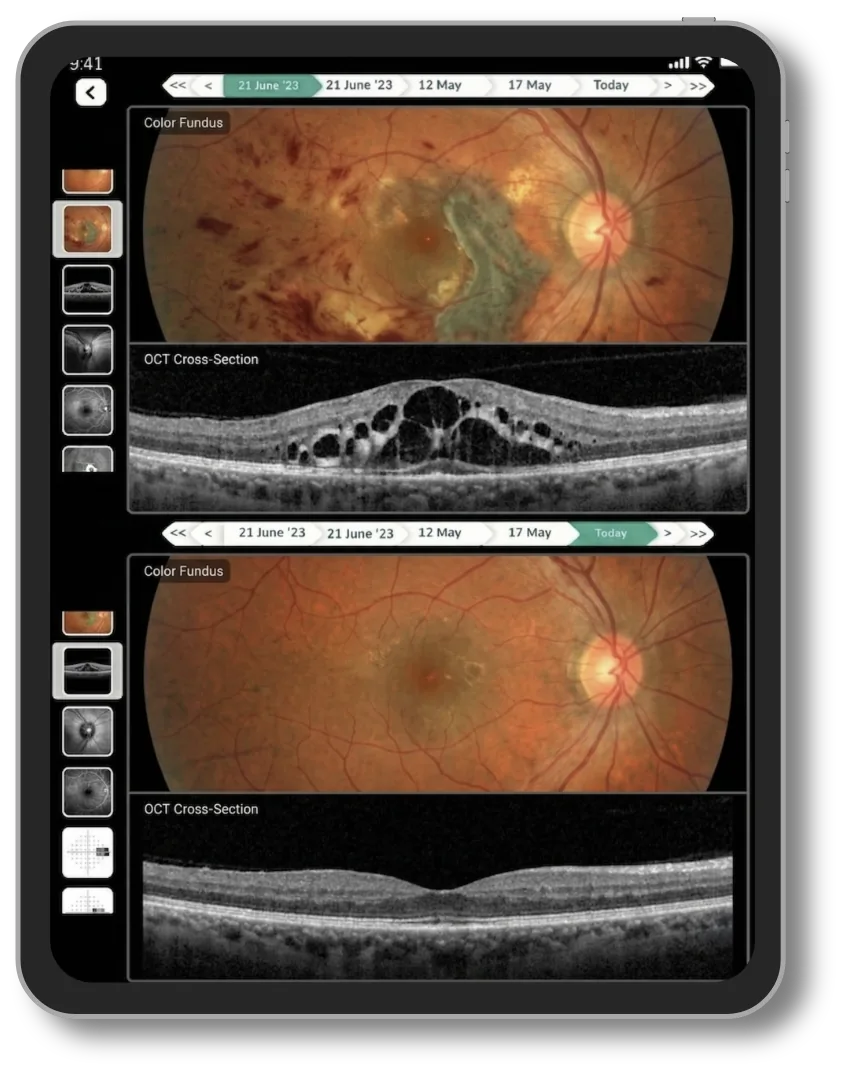
Compare scans by visit
Fundus and OCT images from two visits, side by side.
Eye charts, ready on day one
Set up for your clinic before you start. Change any chart to match your protocol.
Every eye OPD
- Auto refraction (AR)
- Refraction, distance and near
- Visual acuity
- Current glasses power
- IOP chart
- A-scan biometry
- Clinical eye examination
- Comprehensive eye examination
Follow-up charts
- Glaucoma IOP trend
- Diurnal IOP
- Visual field (MD, VFI)
- OCT / RNFL thickness
- Anti-VEGF injection tracker
- Diabetic retinopathy follow-up
- Keratoconus Kmax
- Children's myopia progression
- Cataract surgery outcome
- Dry eye: Schirmer, TBUT
- Endothelial cell count
- Squint measurement
Refraction
Eye prescription format, filled from refraction
Record distance and near for both eyes once. The glasses prescription prints from it on your letterhead.
- IPD and glass type on the same slip
- Current glasses power kept for comparison
- Next visit date on the print
| Right Eye | Left Eye | |||||||
|---|---|---|---|---|---|---|---|---|
| SPH | CYL | AXIS | V/A | SPH | CYL | AXIS | V/A | |
| Distance | −1.25 | −0.50 | 180 | 6/6 | −1.50 | −0.75 | 170 | 6/6 |
| Near | +1.25 | −0.50 | 180 | N6 | +1.00 | −0.75 | 170 | N6 |
Glaucoma
IOP against each patient's target
Every visit's pressure in one chart. Readings above the target you set turn red; the change is calculated.
- Target set per eye by the doctor
- Change from the first visit calculated
- Diurnal, visual field and RNFL charts too
| Date | RE IOP | LE IOP | RE vs target | LE vs target |
|---|---|---|---|---|
| 12-05-2026 | 26 | 19 | +10 fx | +3 fx |
| 16-06-2026 | 22 | 17 | +6 fx | +1 fx |
| 21-07-2026 | 18 | 16 | +2 fx | 0 fx |
| 25-08-2026 | 16 | 15 | 0 fx | −1 fx |
| 06-10-2026 | 15 | 14 | −1 fx | −2 fx |
| Change since first visit | −11 fx | −5 fx |
Cataract
A-scan ready before surgery
K1, K2, axial length and ACD for both eyes. Mean K and K difference are calculated; the surgeon enters the lens power.
- Both eyes side by side
- Mean K calculated, no calculator
- Surgery, IPD and discharge in the same file
| Right Eye | Left Eye | |
|---|---|---|
| K1 (D) | 43.00 | 43.25 |
| K2 (D) | 44.50 | 44.00 |
| Mean K (D) | 43.75 fx | 43.63 fx |
| K difference (D) | 1.50 fx | 0.75 fx |
| AL (mm) | 23.45 | 23.38 |
| ACD (mm) | 3.10 | 3.05 |
| LT (mm) | 4.62 | 4.58 |
| Lens power (D) | 21.5 | 22.0 |
| A-constant | 118.7 | 118.7 |
Your eye prescription pad, on a tablet
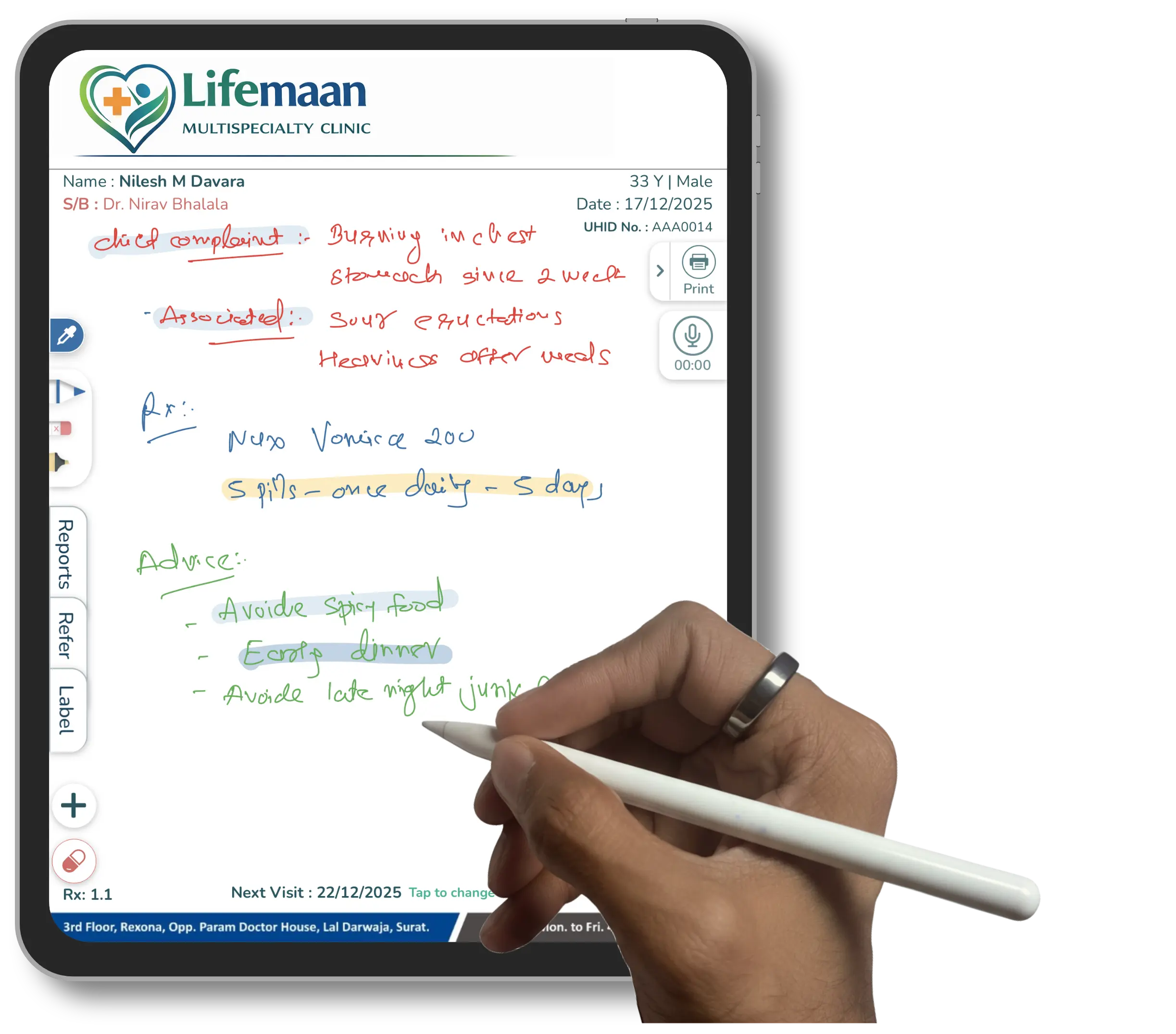
Write with a pen
Write on the tablet as you do on paper. It saves as a digital prescription.
Tablet writing →| Medicine | Dose | Days |
|---|---|---|
| Tab. Metformin 500 mg | 1-0-1 | 30 |
| Tab. Telmisartan 40 mg | 1-0-0 | 30 |
| Tab. Atorvastatin 10 mg | 0-0-1 | 30 |
Type on the computer
Add medicines from your templates, or load the last prescription and edit.
EMR software →Speak to LaMa AI
Speak in English, Hindi or your language. Check the prescription, then save.
Voice prescriptions →What changes
- Today: Refraction copied again onto the glasses slipWith Lifemaan: The glasses Rx prints from the refraction
- Today: IOP readings spread across old OPD papersWith Lifemaan: Every visit's IOP in one chart, red above target
- Today: Mean K worked out on a calculatorWith Lifemaan: Mean K calculated in the A-scan chart
- Today: Patient forgets the old fileWith Lifemaan: Every chart and image in the patient's record
- Today: Optical bills in a separate registerWith Lifemaan: Optical billing in the same system, GST on or off
- Today: Retina patients miss injection datesWith Lifemaan: WhatsApp reminder before the next injection
The rest of your practice
Optical billing
Frames and lenses billed as their own department, GST on or off.
See it with your own eye charts
Quote-based pricing, with a free trial.
- Your specialty's charts, shown on a real patient file
- Bring one paper chart you use; we show it in Lifemaan
- 15 minutes, on video call or at your clinic
Or reach us directly: +91 90237 53539 · WhatsApp