
Hospital Management System Modules Explained
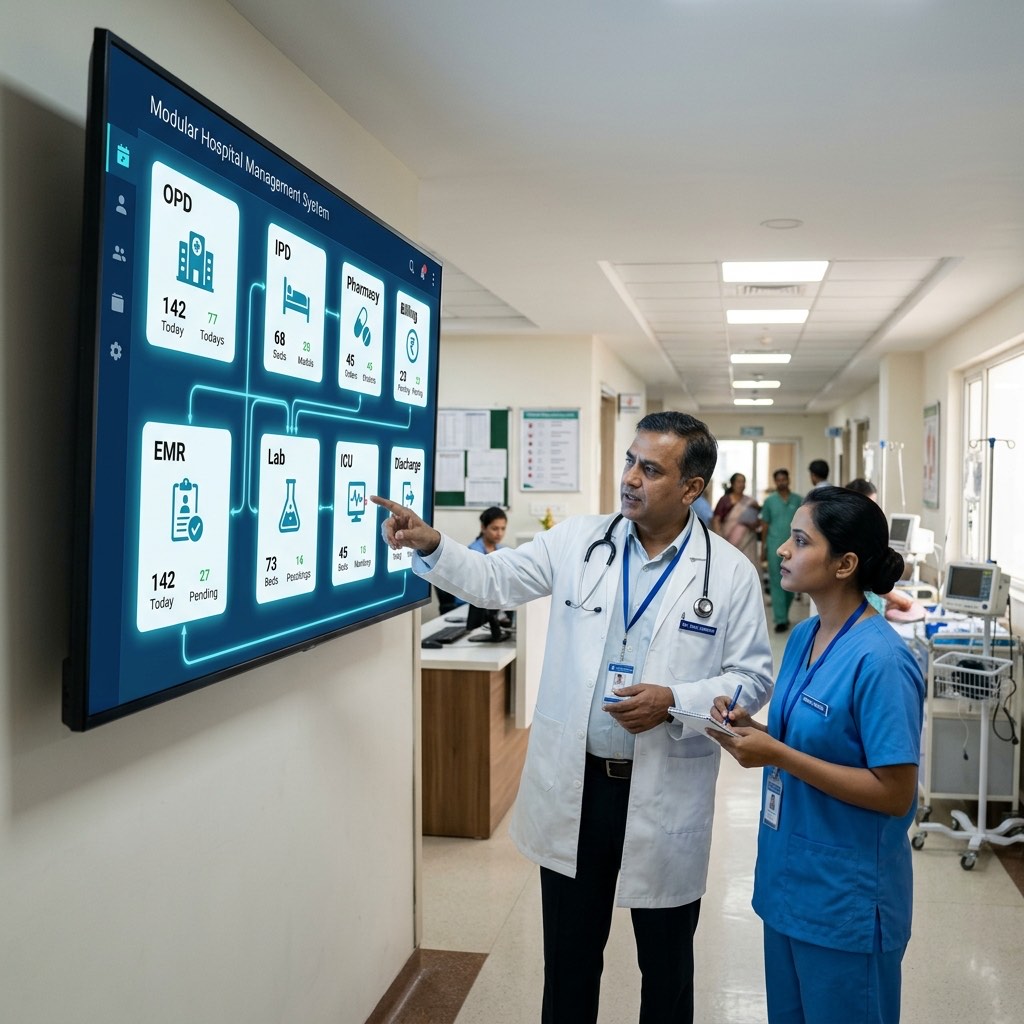
A hospital management system (HMS) is only as useful as the modules it ships with. This guide breaks down every core HMS module — OPD, IPD, ICU, EMR, pharmacy, billing, lab, and more — explaining what each does, who operates it, and what paper-based process it replaces. Use this as a checklist when evaluating any HMS for your facility.
Last updated: June 2026
If you want to understand what an HMS is, start with What is a Hospital Management System? — that article covers the definition and broad value. This post assumes you already know you need one. The question here is: which modules matter, what does each actually do, and who in your hospital uses it daily?
The Core HMS Modules: Quick Reference
| Module | What It Does | Primary Users |
|---|---|---|
| OPD & Patient Registration | Registers patients, manages OPD flow and tokens | Reception, registration desk |
| Appointment & Queue Management | Books, reschedules, tracks walk-in queues | Front desk, patients (self-serve) |
| IPD & Bed Management | Admits patients, tracks bed occupancy, manages wards | Nursing station, ward staff |
| ICU Management | Monitors vitals, tracks critical care workflows | ICU nurses, intensivists |
| EMR / EHR | Digital patient records, history, diagnoses | Doctors, nursing staff |
| E-Prescription | Digital prescriptions with drug dosage and instructions | Doctors |
| Pharmacy & Inventory | Manages drug stock, sales, expiry alerts | Pharmacist, store manager |
| GST Billing & Insurance/TPA | Generates bills, processes cashless claims | Billing counter, accounts |
| Lab & Radiology (LIS/RIS) | Orders tests, tracks samples, delivers reports | Lab technicians, radiologists |
| Discharge Summary | Auto-generates discharge documents | Doctors, medical records |
| Reporting & Hospital ERP | Cross-department analytics, financials, MIS | Hospital administrator, CFO |
Each section below goes deeper into every row.
OPD & Patient Registration
Every patient journey starts here. The OPD module handles new patient registration (capturing demographic data, UHID generation, contact details), returning patient lookup, and OPD slip generation.
What it replaces: A carbon-copy OPD register, hand-written patient cards, and manual UHID assignment from a ledger.
Who uses it: Reception staff at the front desk. In larger hospitals, a dedicated registration counter. In smaller clinics, often the same person handles this and billing.
What to check when evaluating: Can it deduplicate returning patients by mobile number? Does it link to the appointment module to auto-populate pre-booked patient data? Is ABDM Health ID (ABHA) integration available? Lifemaan's HMS is ABDM compliant, which matters for facilities participating in the National Digital Health Mission.
Appointment & Queue Management
This module handles advance booking (phone, WhatsApp, online), doctor schedule management, slot configuration, and real-time queue display.
What it replaces: A paper appointment diary, WhatsApp messages to the receptionist, and a manual token system with physical tokens.
Who uses it: Front desk staff for booking; doctors to view their daily schedule; patients via a self-service interface if the HMS offers one.
What to check: Does it support multi-doctor, multi-department scheduling? Can it send SMS/WhatsApp reminders automatically? Does the queue display integrate with a waiting-room screen?
IPD & Bed Management
Once a patient is admitted, they move into the IPD module. This tracks the admission, assigns a ward and bed, manages room transfers, and gives nursing staff a live view of bed occupancy across the facility.
What it replaces: A whiteboard in the nursing station showing bed status, a physical admission register, and verbal handoffs between shifts about which beds are available.
Who uses it: Nursing station staff for daily operations; ward boys for bed assignment; hospital administrators for occupancy reporting.
What to check: Does the bed management view update in real time? Can it handle multi-floor, multi-ward configurations? Does it integrate with billing to auto-trigger room charges?
ICU Management
The ICU module is a specialized layer on top of IPD. It tracks vitals monitoring schedules, critical care orders, nursing care plans, and medication administration records (MAR) for patients in intensive care.
What it replaces: Paper-based nursing notes, manual vital recording sheets, and verbal shift handoffs in the ICU.
Who uses it: ICU nurses and intensivists (critical care specialists).
What to check: Does it support ventilator and monitoring device integration? Can it generate nursing shift notes and care summaries? Is it separate from general IPD or a view within the same system?
EMR / EHR
The electronic medical record module is the clinical core of any HMS. It stores the patient's complete longitudinal history — past visits, diagnoses, allergies, chronic conditions, investigation reports, and treatment notes — accessible across departments.
What it replaces: A paper file that gets lost, misfiled, or takes 20 minutes to locate at the front desk before every visit.
Who uses it: Doctors during consultations; nursing staff for care notes; medical records staff for file management.
What to check: Is the interface fast enough for a doctor seeing 80 patients a day? Does it support structured diagnosis entry (ICD codes)? Can it pull previous reports, prescriptions, and discharge summaries in one screen? Lifemaan's AI tablet converts handwritten notes to digital records — useful for doctors who prefer writing on paper during consultations. See EMR software features for a deeper dive.
E-Prescription
The e-prescription module lets doctors write prescriptions digitally, with drug name, dosage, frequency, duration, and special instructions. It should pull from an approved formulary and flag basic drug interactions.
What it replaces: A prescription pad; illegible handwriting that causes pharmacy dispensing errors; no record of what was prescribed last visit.
Who uses it: Doctors. Output goes to the patient and directly to the pharmacy module.
What to check: Does it support Hindi and regional language instructions for patients? Can doctors use voice input? Lifemaan's Speech-to-Rx feature supports 22 major Indian languages plus English and Hinglish — relevant for facilities in Gujarat and across India where doctors and patients switch languages mid-sentence.
Pharmacy & Inventory
The pharmacy module manages drug stock: procurement, goods received, stock levels, expiry tracking, and dispensing against prescriptions. The inventory side handles purchase orders, vendor management, and consumption reports. Lifemaan offers this as dedicated pharmacy management software — standalone for a retail medical store or hospital-linked — backed by full hospital inventory management.
What it replaces: A stock register, a manual expiry check every month, and a separate billing book at the pharmacy counter.
Who uses it: Pharmacist for dispensing and stock management; purchase/store manager for procurement; accounts for reconciliation.
What to check: Does it alert on near-expiry stock? Can it handle multiple store locations (main pharmacy + ward pharmacy + OT store)? Is there a minimum-stock reorder alert?
GST Billing & Insurance / TPA
Billing is where revenue realization happens. The billing module generates itemized invoices (OPD, IPD, pharmacy, lab, procedures), applies GST correctly, and manages advance payments, refunds, and outstanding balances. The TPA/insurance component handles cashless claim processing, pre-authorization requests, and final claim submission.
What it replaces: A manual billing register, a calculator for GST computation, and a stack of TPA forms filled out by hand.
Who uses it: Billing counter staff; accounts team; CFO for revenue reporting.
What to check: Is GST computation automated across all charge heads? Does it support multiple payers on one bill (partial insurance + patient payment)? Can it generate a detailed bill breakup that satisfies TPA auditors? Lifemaan's billing module is GST-compliant. For pricing context, see hospital management software pricing in India.
Lab & Radiology (LIS / RIS)
The lab information system (LIS) handles test ordering from the doctor, sample collection and barcoding, lab technician workflow, result entry, and report delivery to the patient and EMR. The radiology information system (RIS) does the same for imaging — X-ray, ultrasound, CT, MRI.
What it replaces: A handwritten lab request slip, a manual result register, and a physical report that may or may not reach the doctor's file.
Who uses it: Lab technicians; radiologists; doctors (to view results in the patient's EMR without chasing a physical report).
What to check: Does the LIS support NABL audit trails? Can it integrate with third-party analyzers for auto-result import? Does the RIS support DICOM viewer integration?
Discharge Summary
The discharge summary module auto-generates a structured discharge document pulling data already entered during the admission — diagnosis, procedures, medications, vitals trend, follow-up instructions — so the doctor only needs to review and sign, not type everything from scratch.
What it replaces: A doctor dictating (or typing from memory) a 2-page discharge summary at the end of a busy shift, often hours after the patient has left.
Who uses it: Doctors for generation and sign-off; medical records for archiving; patients receive a copy.
What to check: Is it auto-populated from IPD and EMR data? Can it be generated in the patient's preferred language? Does it comply with discharge summary formats required for NABH accreditation?
Reporting & Hospital ERP / Analytics
This is the management layer — cross-department data rolled up into dashboards, MIS reports, and operational analytics. Revenue per department, doctor-wise OPD counts, bed occupancy trends, pharmacy stock valuation, and staff productivity metrics all live here.
What it replaces: Weekly Excel reports compiled manually by each department head; revenue numbers known only at month-end.
Who uses it: Hospital administrator and medical superintendent for operations; CFO for financials; department heads for their own numbers.
What to check: Are reports available in real time or only end-of-day? Can it export to Excel/PDF for board presentations? Does it support multi-branch consolidation if you run more than one facility? For context on the advantages of a hospital management system, better reporting is consistently the highest-value outcome administrators cite.
How to Evaluate Modules When Selecting an HMS
Not every facility needs every module at launch. A 20-bed clinic has different priorities than a 200-bed hospital. When you choose hospital management software, apply this logic:
- Start with patient flow modules first. OPD, appointment, billing, and pharmacy affect every single patient. These must work reliably before anything else.
- Add clinical depth next. EMR, e-prescription, discharge summaries — these affect care quality and legal documentation.
- Integrate diagnostics. LIS and RIS reduce the physical paper trail and speed up clinical decisions.
- Layer in analytics last. Reporting is most valuable when the upstream modules have been running for a few weeks and have real data to surface.
Lifemaan offers the full module stack described above, with dedicated apps for doctors (Heroes of Lifemaan on Android and iOS) and a patient-facing app — so all three sides of care delivery work from connected data.
If you want to see how these modules work in practice for a facility like yours, book a free demo and walk through the specific workflows relevant to your department mix.
Frequently Asked Questions
Want to see Lifemaan in action?
Schedule a free demo for your hospital or clinic. See how easy the switch to digital can be.
Book Free Demo